marble booking Extensions
Your booking system with seamless accounting:
LexOffice integration
Create your invoices in marble booking using one of the leading accounting software on the German market: LexOffice!
Synchronize contacts & payments, manage your entire accounting in just one tool and be prepared for future requirements with the creation of e-invoices. Learn all about the integration of LexOffice in marble booking and discover which functions & settings extend your booking system.
Automated invoicing
For every booking, an invoice is automatically generated in LexOffice using your settings from marble booking.
Synchronizing contacts
New customer contacts or changes to existing customers are automatically synchronized.
E-Invoices
By integrating LexOffice, you can easily provide your customers with legally compliant e-invoices.
Invoice delivery & download
You can download the invoice PDFs directly in marble booking or send them to your customers (manually or automatically).
Invoice Workflow
Automatically create invoices from bookings
Invoices are generated directly from your bookings in marble booking and created in LexOffice. All stored data is linked automatically – from customer details and services to the final invoice amount.
Automatic invoice creation for bookings
Invoices are sent directly to your customers
Centralized management of all invoices in LexOffice
Key invoice information displayed directly in the marble booking dashboard
Your marble booking settings are applied automatically: tax rates, invoice texts, line item descriptions, units, and more
Afterwards, you can still edit your invoices in LexOffice and sync updated invoice amounts back to marble booking.
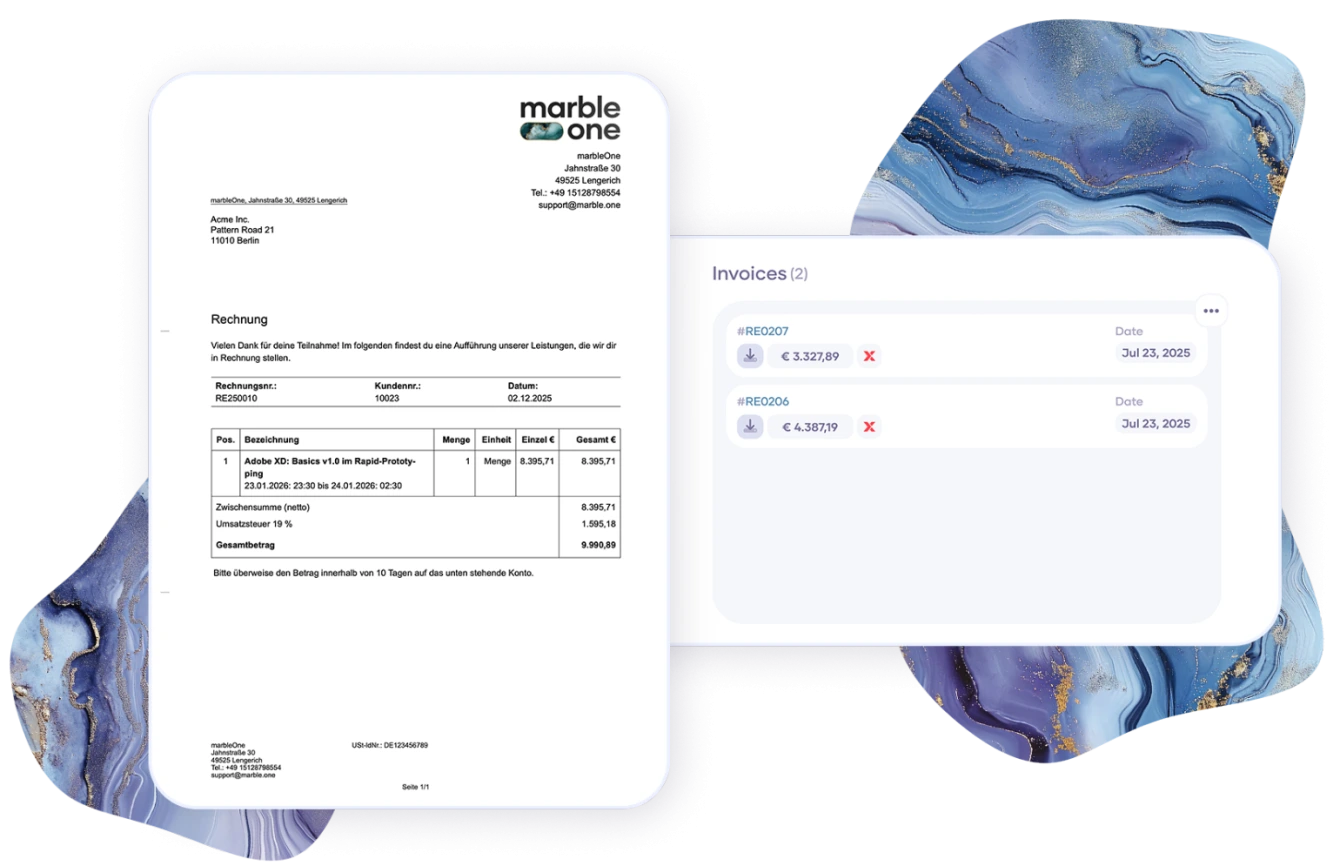
An integration that simply works
LexOffice: Accounting that fits marble booking
The LexOffice integration blends seamlessly into marble booking – technically, visually, and in everyday use. No duplicate data, no extra effort – just a seamless process from booking to invoice.
E-invoices included
The LexOffice integration naturally supports the creation of e-invoices. This ensures you’re technically and legally well prepared – today and in the future. No additional setup is required: LexOffice provides this functionality out of the box, and as long as the invoices meet the necessary requirements, e-invoices are generated automatically.
Quick setup. Ready to use instantly.
The LexOffice integration can be activated in just a few steps in the settings of your marble booking Pro account.
1. Enable the integration
2. Enter your LexOffice API key and connect your account
3. Start creating invoices automatically
No technical setup required. No additional tools needed.
Keep track of payments at all times
Payments are matched directly with the corresponding LexOffice invoices. This way, you always know which bookings are paid, open, or completed.
• Sync between bookings and invoice status
• Clear overview of incoming payments
• Accounting status visible directly in the marble booking backend
One click is all it takes to see exactly where your bookings stand.
How do I add LexOffice as an integration in marble booking?
To integrate LexOffice into external services such as marble booking, you need the following package: XL
You can then generate an API key (with all permissions) in your LexOffice account under Settings » Extensions » Other apps » Public API » Manage. You can then add this key in the marble booking settings under Settings » Integrations » LexOffice and validate it directly. It is best to activate the setting Update customer when booking. Then you can get started right away, and LexOffice will automatically create the appropriate invoices for each booking.
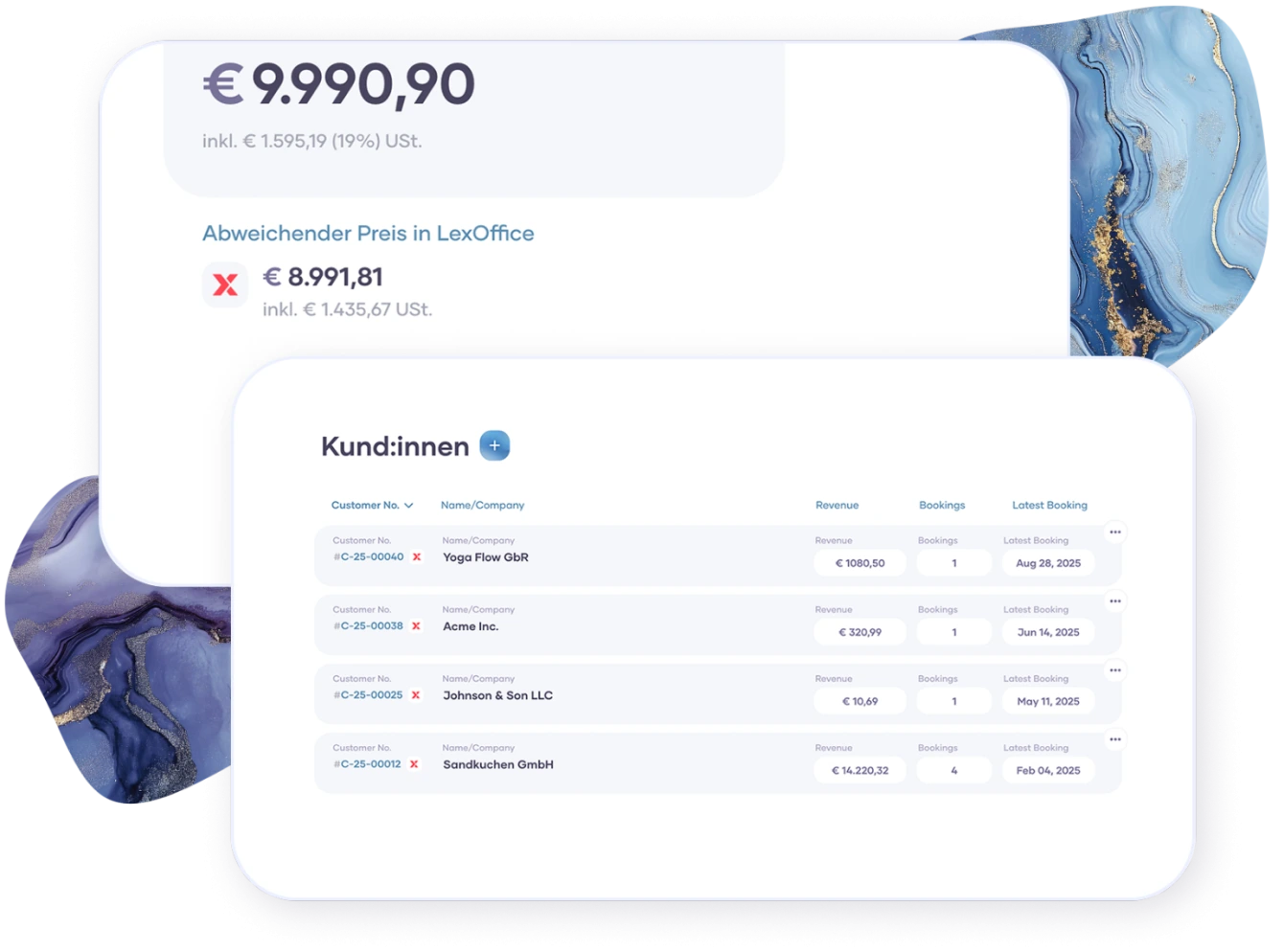
Simple & seamless data management
Your customer data always in sync & up to date
Your customer data is automatically synchronized between marble booking and LexOffice. Created once, available everywhere – without duplicate data maintenance.
Automatic creation and updates of contacts
Consistent data across your booking system and accounting
Fewer errors caused by manual input
Direct linking of contacts in marble booking to the customer view in LexOffice
This ensures clean master data and a clear overview of your customers revenue.