Changelog
marble booking Updates
Discover the latest updates & improvements to marble booking. All new features, enhancements & bug fixes can be found here at a glance.
-

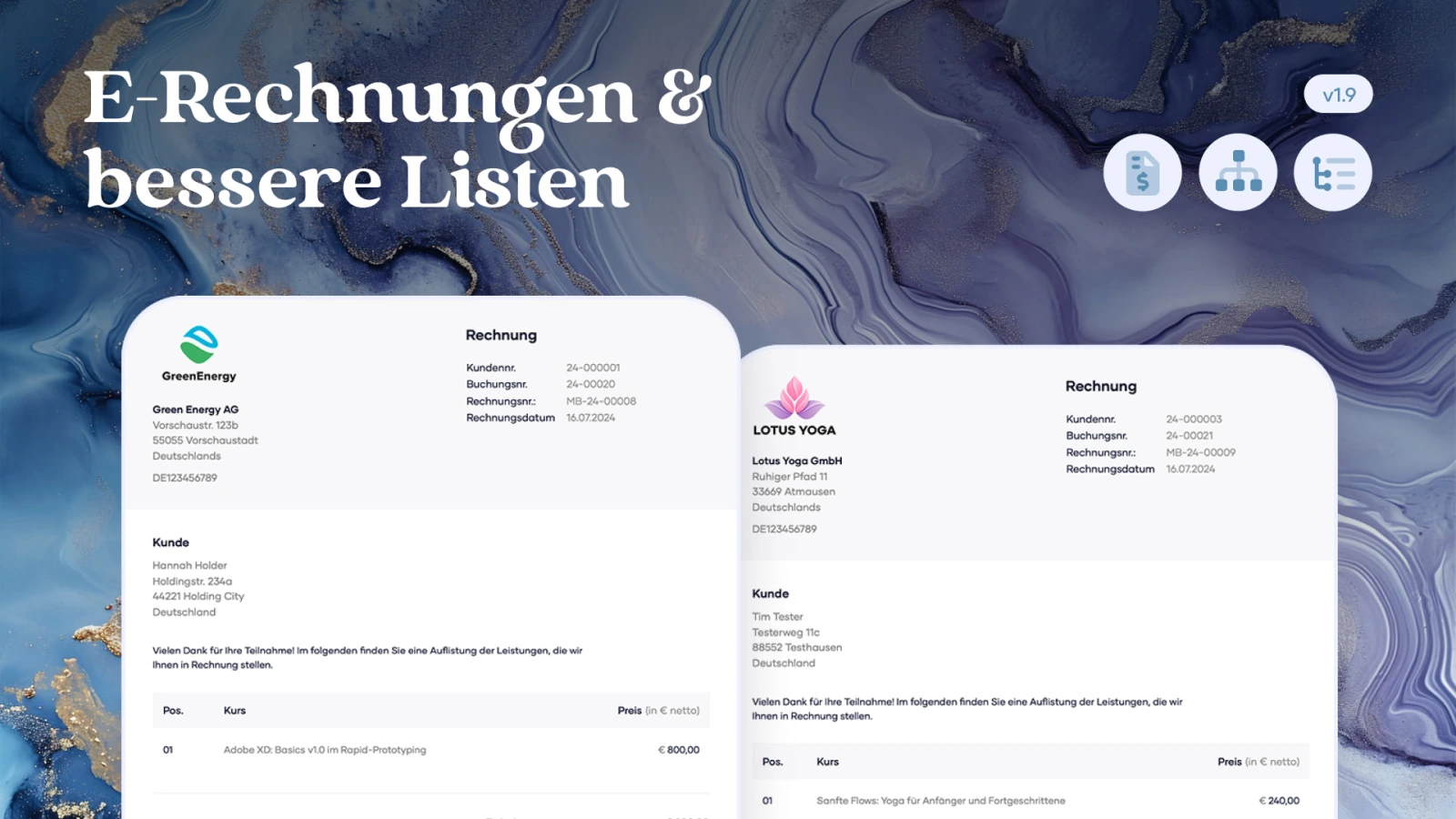
This update strengthens marble booking in two places that matter every day: invoices and overview. You can create e-invoices in ZUGFeRD/Factur-X format when needed and search, filter and sort long lists for offers, bookings and customers more precisely.
Features & Improvements
-
E-invoicing in ZUGFeRD/Factur-X format
marble booking can create invoices as e-invoices when needed. The PDF remains readable for people and also contains structured invoice data according to EN 16931 that accounting systems can process automatically.
-
Enable e-invoicing with one setting
The feature is enabled in the settings and then runs inside the existing invoicing process. No separate workflow, no additional software.
-
Validated against official standards
The technical implementation was checked with Mustang Validator, the official CEN Schematron and veraPDF. Across the checked invoice types: 0 errors, 0 warnings.
-
New filters, search and sorting for lists
Offers, bookings and customers can now be searched, filtered and sorted more precisely. Multiple criteria can be combined and reset with one click at any time.
-
Fast lists even with many bookings
Filtering, sorting and searching run in the database, not only in the browser. marble booking only loads what is currently visible, keeping lists fast as your data grows.
-
Dedicated sitemap for your account
When enabled, marble booking provides a dedicated sitemap for your account. It only contains your public, indexable pages – for example your booking page and active offers. Pages set to "noindex" are automatically left out.
Bug Fixes
-
General bug fixes and performance optimization
-
-

With version 1.8, your offering gets a new home: a dedicated booking page you can share with just a link. Add to that certificates for your participants, more flexibility when managing bookings, and an even more powerful search – everything to help you run your business more professionally and efficiently.
Features & Improvements
-
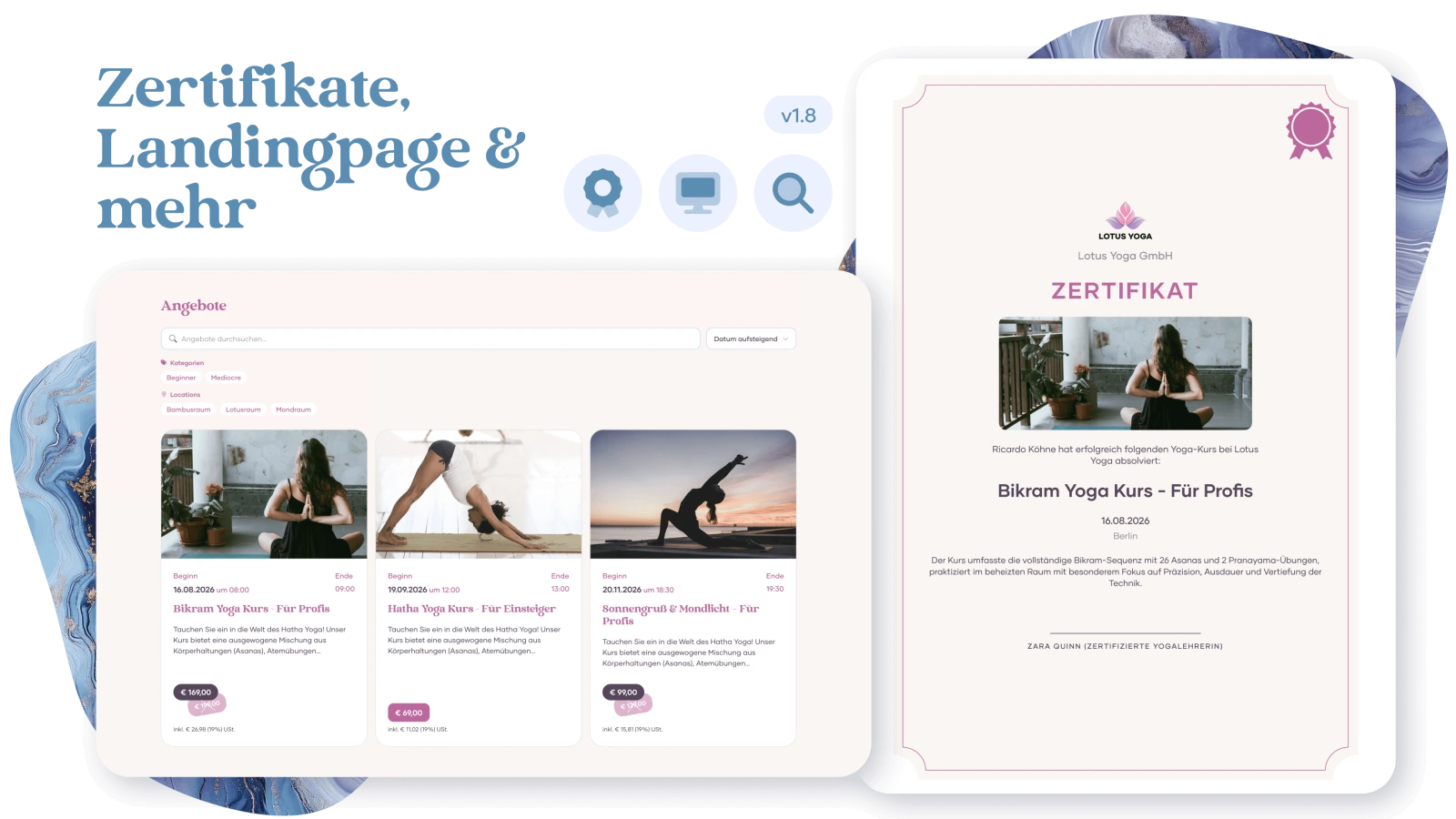
Certificates
With the new certificate feature, you can create individual participation certificates directly from a booking and send them to your participants. Design the certificate exactly the way you want: with your logo, your colors, and an optional cover image. For recurring offerings, simply duplicate existing certificate designs to save time. The finished certificates are sent as PDFs directly through marble booking's messaging system.
-
Booking Page
You can now create a dedicated booking page for your offerings – fully styled to match your brand. Your customers see all your offerings at a glance: with live availability, pricing, and the option to book directly. Share the link to your booking page anywhere – on your website, social media, or via email – and your customers can get started right away, no detours needed.
-
Extended Booking Search
The search now also covers content from custom fields – so you can find bookings by individual details like dietary preferences, experience level, or any custom question you've set up.
-
Add Participants After Booking
Add participants to an existing booking directly in the booking detail view – including required field validation and automatic capacity checks.
Bug Fixes
-
General bug fixes & performance optimization
-
-

We are excited to release a major new update for marble booking! With this version, you can now benefit from great new features to tailor the booking system even better to your business. New features include PayPal integration for receiving and refunding payments, a comprehensive feature for recording and managing payments, and the brand new reservation function, which gives you even more options in your booking workflow.
Features & Improvements
-
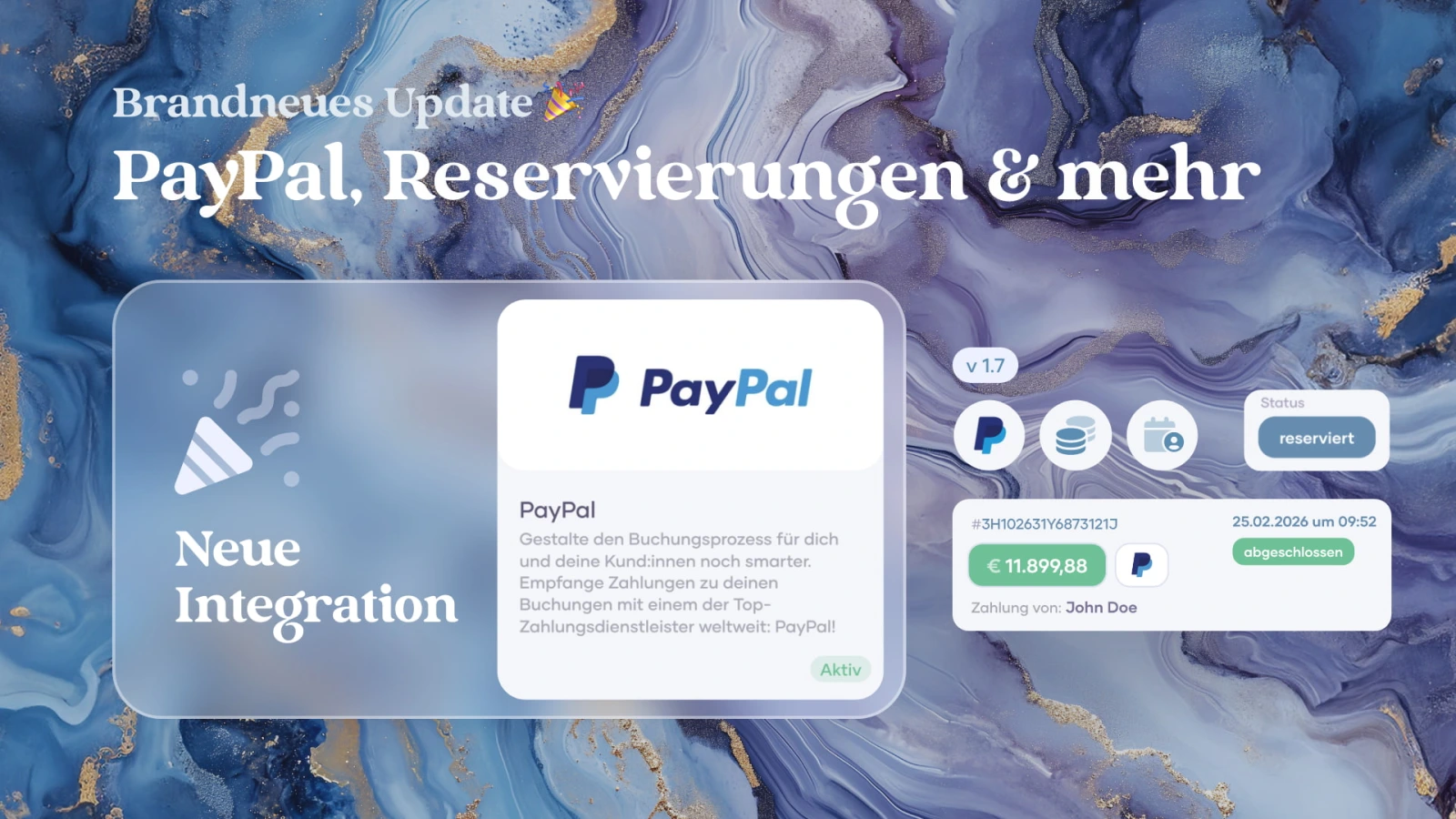
Integration: PayPal
The first payment provider integration for marble booking is finally here: PayPal 🎉
Effortlessly receive payments from your customers directly in the booking process to make your workflow even faster. Your customers can use the familiar PayPal button to make payments directly from their PayPal account and complete the booking. Your bookings are immediately marked as paid, and you can see all payments at a glance in the new “Payments” view. You even have the option to refund payments in part or in full. -
Creating and managing payments
You can now create, manage, and send entries in your bookings under the new "Payments" tab.
This gives you a permanent overview of the payment history of your bookings. You can specify the status of a payment, add notes, export all payments for your workflow, and send any changes or entries directly to your customers by email if necessary. In addition, the payment status of your bookings is automatically adjusted depending on the positive payment amount. -
Reservations
With this new feature, you can accept reservations without triggering direct bookings of your offers. This allows you to give your customers the opportunity to make inquiries without booking directly, and you can select more precisely which reservations are eligible for booking. In addition, you can limit the maximum number of reservations per offer or per customer.
-
Customer search
Search for your customers' names, addresses, and contact details with just a few clicks. Practical keyboard shortcuts make searching even more efficient. Press CMD + K (CTRL + K on Windows) in the customer overview, type in your search, navigate through the results using the arrow keys, and press ENTER to go directly to the customer you are looking for!
-
New Dashboard Period: "Last week"
Bug Fixes
-
General bug fixes & performance optimization
-
-

With this update, we offer you the opportunity to provide your customers with an even more personalized booking experience. You can now add additional packages to your offers - ideal for upgrades, additional services, services or accessories. This makes your bookings even more flexible and allows you to cater specifically to your customers' wishes.
Features & Improvements
-
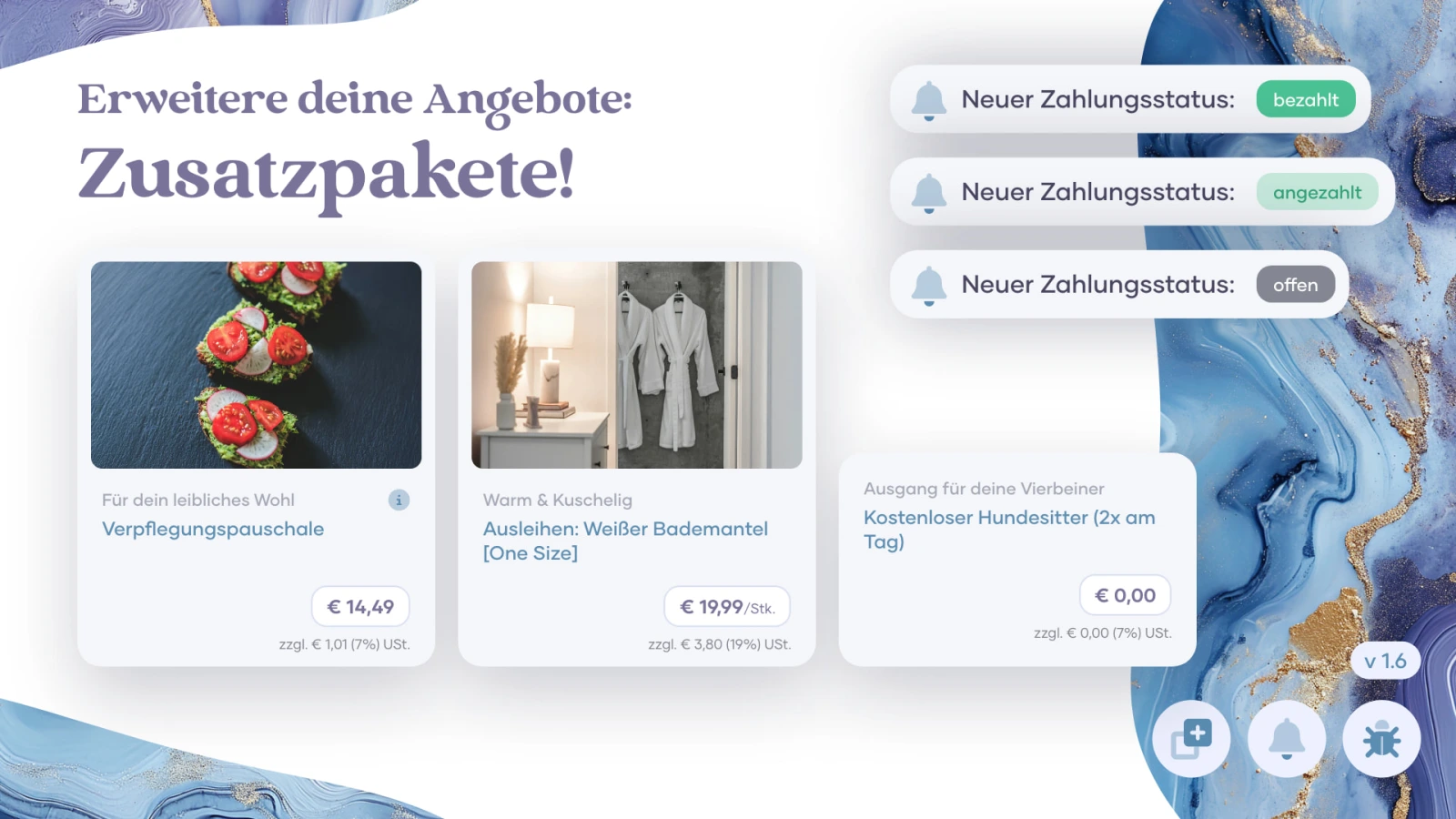
Add-Ons
A long-awaited feature is finally making its way into marble booking:
Flexible add-on packages for your offers. From now on, you can create add-ons for each of your offers to give your customers an even more personalized booking experience. These are ideal for additional services, upgrades or exclusive offers. This gives you the opportunity to create even more precise offers and address each of your customers even more individually. You can even easily add additional packages to existing bookings. -
Notifications about the payment status of your bookings
Your customers will now automatically receive an email notification as soon as you change the payment status of a booking. This gives your customers a more transparent booking experience and reduces your administrative workload. The notifications are also sent when you process multiple bookings at the same time or when you synchronize the status of your bookings with integrations such as LexOffice.
-
Dashboard Period Filter
With this update, your dashboard is now even more informative. With the new period filters, you can set the booking statistics and the chart in your dashboard to many different time periods to quickly get a precise overview of current bookings and figures. Whether over the course of the day, the current week or the last 90 days - many different time periods are available to you. Further time periods will follow in later updates!
-
Updates in the handling of cancelations
When canceling a booking, you can select in a new pop-up window whether a cancellation invoice should be created or not. You can also decide whether this should be sent to your customers. If you do not create a cancellation invoice, you can still create it at any time after the cancellation and send it manually via the marble booking messaging system. No prices are listed in the email that your customers receive. This gives you the opportunity to prevent misunderstandings and to handle any cancellation fees separately.
-
Search bar for your offers
Find titles of your offers, prices, URL endings and more with just a few clicks. The practical keyboard shortcuts make searching even more efficient. Press CMD + K (CTRL + K on Windows) in the booking overview, type in your search, navigate through the results using the arrow keys and press ENTER to be sent directly to the offer you are looking for!
-
Duplication of images
Covers of your offers and Open Graph images are now also copied when the offer is duplicated.
Bug Fixes
-
Errors with CSV exports in the Safari browser have been fixed
-
General bug fixes & performance optimization
-