marble booking gets an update that makes everyday work noticeably smoother: e-invoices in ZUGFeRD/Factur-X format, better lists for offers, bookings and customers – and a dedicated sitemap for your account when needed.
Less searching. Less manual follow-up. More overview.
Contents
- 1. The short version
- 2. Write invoices as usual – the e-invoice is created alongside it
- 3. ZUGFeRD, Factur-X and EN 16931
- 4. Validated against official standards
- 5. Find the right booking instead of searching for it
- 6. Stays fast – even as your account grows
- 7. A dedicated sitemap for your public pages
- 8. Frequently asked questions about this update
- 9. Try it in your dashboard
Product update
The short version
With this update, you can create e-invoices directly from marble booking, use long lists much more precisely and provide a dedicated sitemap for your account. Invoices remain readable PDFs, but also contain machine-readable data. Offers, bookings and customers can be searched, filtered and sorted – even as your account grows.
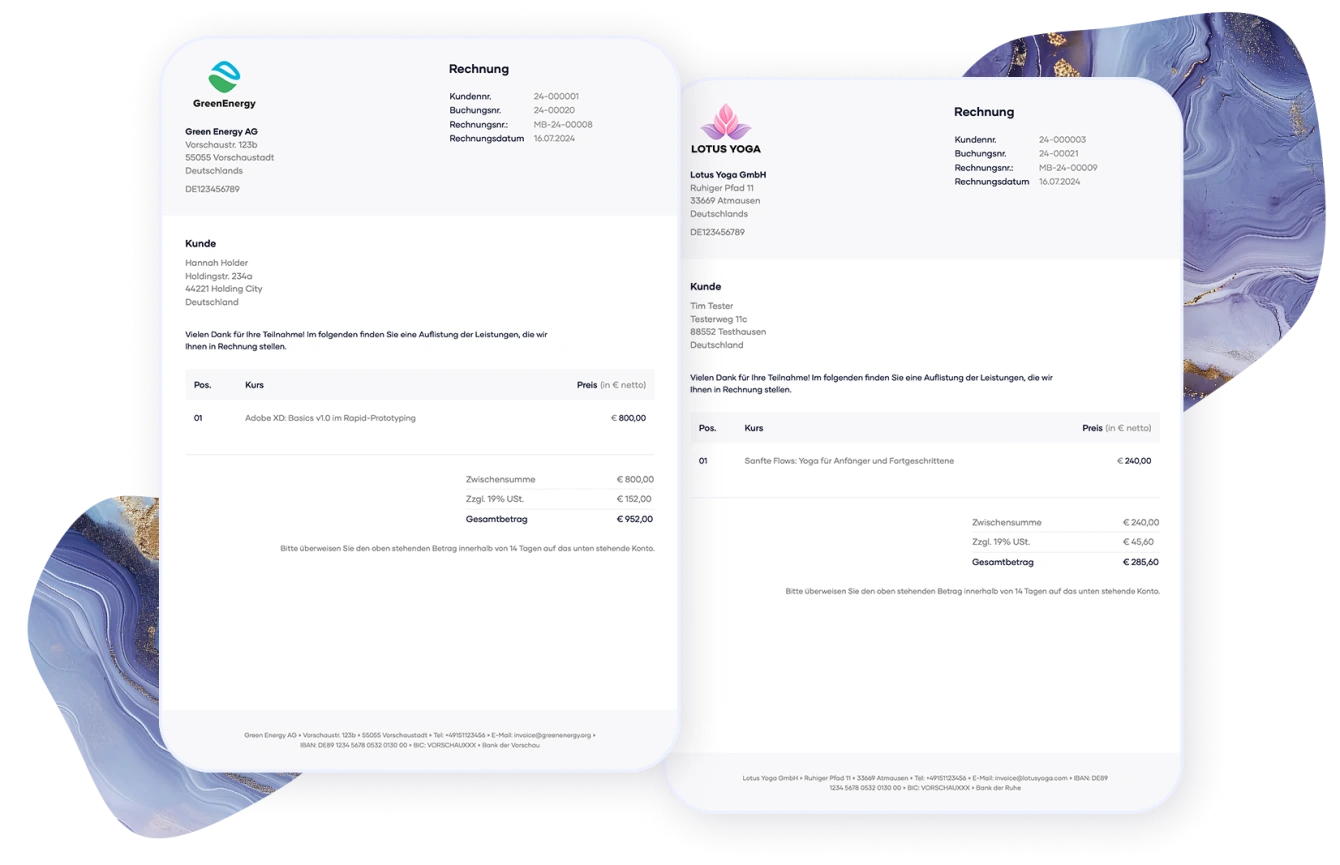
Write invoices as usual – the e-invoice is created alongside it
E-invoicing sounds like extra work. In marble booking, it is designed differently: you create your invoice as usual. If the feature is enabled, marble booking can generate an e-invoice in ZUGFeRD/Factur-X format from it.
The file remains a normal PDF that your customers can open, read and archive. At the same time, it contains structured invoice data that accounting systems can process automatically – without retyping, OCR or manual transfer.
ZUGFeRD, Factur-X and EN 16931
marble booking creates e-invoices in ZUGFeRD / Factur-X format using the EN 16931 profile. The PDF contains not only the visible invoice, but also a structured dataset based on the European standard.
Typical real-world cases are supported: regular invoices, multiple tax rates on one invoice, cancellation invoices and small-business invoices under §19 UStG. Payment data such as IBAN, BIC, account holder and payment terms are embedded in a structured way.
Validated against official standards
We did not want to create a file that merely looks right. The technical implementation was checked with Mustang Validator, the official CEN Schematron and veraPDF.
The result across the checked invoice types: 0 errors, 0 warnings.
Important: marble booking implements a technical standard here. We do not provide legal advice and intentionally do not claim “legally secure” or “guaranteed compliant” for every individual case.
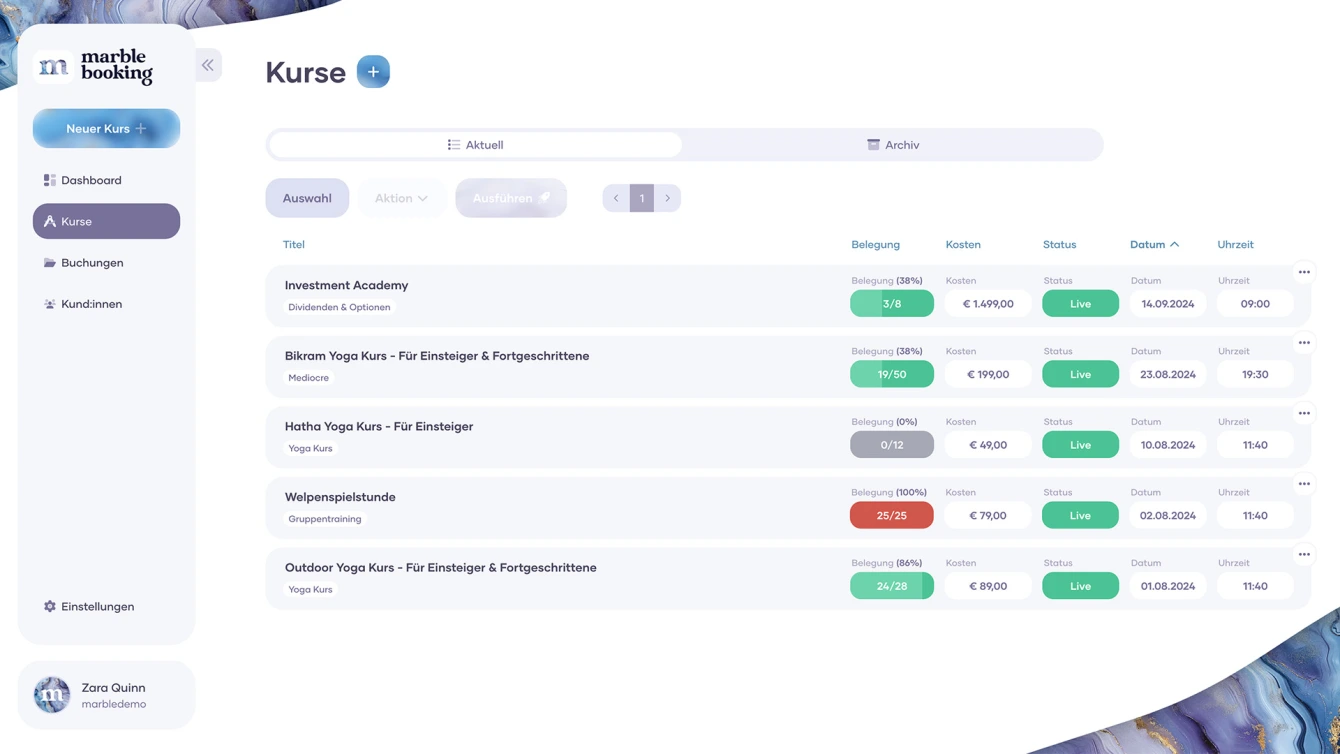
Find the right booking instead of searching for it
The second update improves an area that only starts hurting once an account grows: long lists. A few bookings are easy to scroll through. A few hundred are not.
That is why offers, bookings and customers can now be searched, filtered and sorted more precisely. Want to see which bookings are still unpaid, which offers still have free spots in autumn or which customers booked the most this year? That is what the new lists are for.
Stays fast – even as your account grows
The most important part happens invisibly: filtering, sorting and searching run in the database, not only in the browser. marble booking only loads what is currently visible.
That keeps lists fast, even if your account has 5,000 bookings behind the scenes instead of 50. This is exactly where many list features feel great at first and slow down later. This update is therefore not just convenience, but part of making the booking system scale with you.
A dedicated sitemap for your public pages
Also new: a dedicated sitemap for your account. When you enable it in the settings, it tells search engines which public pages should be discoverable – for example your booking page and active offers.
Important: you still decide what should be indexable. Pages set to “noindex” are not included in the sitemap.
A sitemap helps search engines discover your pages. It does not guarantee better rankings or instant indexing.
Frequently asked questions about this update
Do I need a new workflow for e-invoices?
No. You enable the feature in the settings and continue creating invoices from your existing flow. The e-invoice is created alongside the readable PDF.
Does e-invoicing also apply to the lexoffice integration?
No. If you use the lexoffice integration, the invoice is created by lexoffice. The new e-invoicing feature applies to invoices created directly in marble booking.
Which lists can now be filtered?
You can search, filter and sort offers, bookings and customers more precisely. Multiple filters can be combined and reset with one click at any time.
Why does database-side filtering matter?
Because it keeps the list fast beyond a small demo account. marble booking loads only the data that is currently visible, keeping the interface usable even with many bookings.
Try it in your dashboard
The new features are available in your marble booking dashboard. Enable e-invoicing and your dedicated sitemap in the settings when needed and use the new filters directly in your lists.
This makes marble booking stronger in the places that matter in everyday work: invoices, bookings, customers, discoverability and overview.